



FrameUI Studio Documentation
FrameUI Studio
Section titled “FrameUI Studio”FrameUI Studio is the browser editor for FrameUI. Choose from 50 animations and 10 ready-made presets, then customize text, colors, images, motion, event bindings and the player’s view. Drag and resize elements directly on the preview.
Open FrameUI Studio. No account is required. You can edit and export without connecting to a server, or open /frameui editor in Minecraft to import and save directly.
To use your effects in Minecraft, get the FrameUI plugin on Plugin Hub.
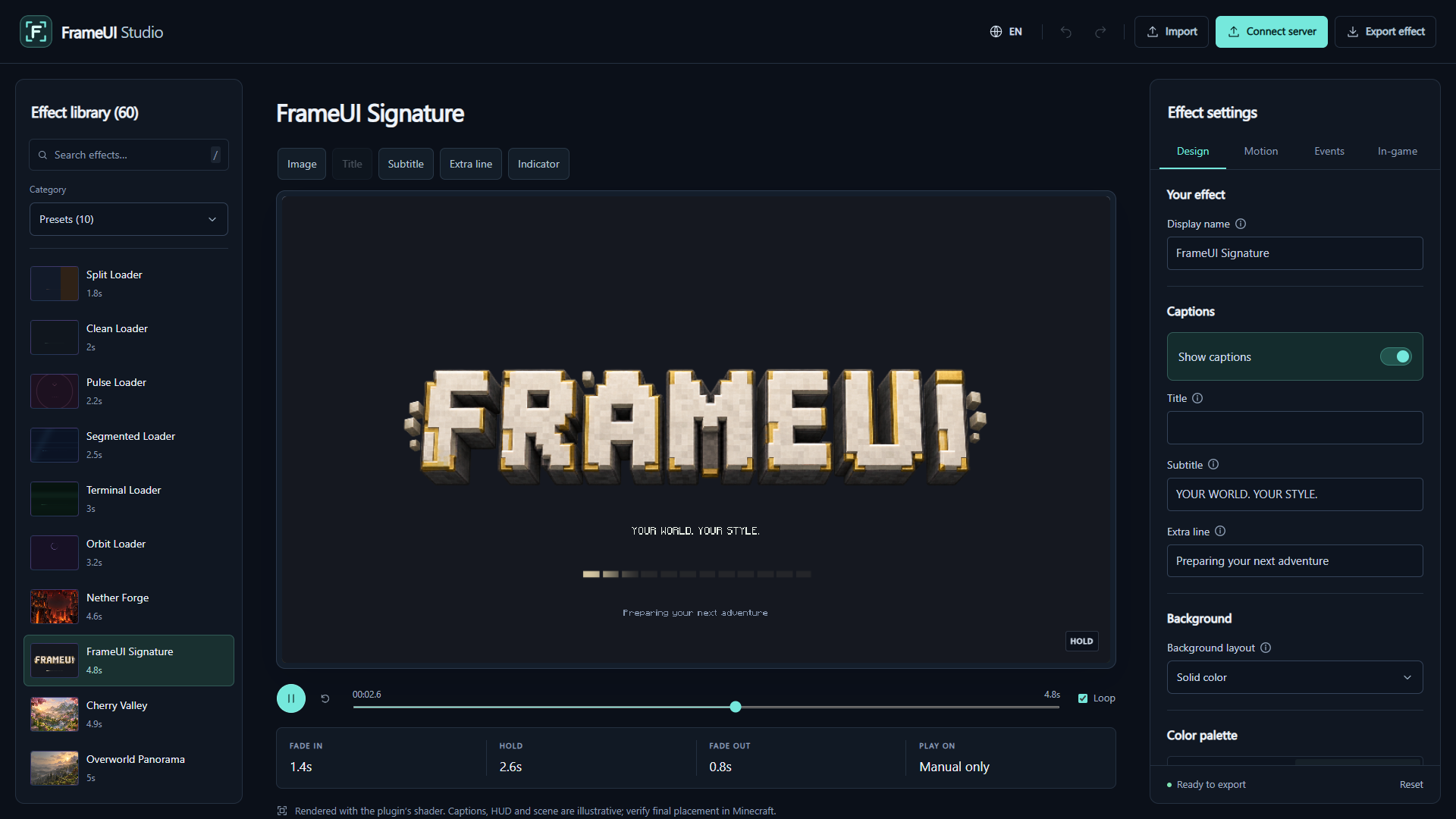
Create a Loading Screen
Section titled “Create a Loading Screen” Your First Effect Choose a template, customize it and preview it in Minecraft.
Design and Layout Edit captions, images, backgrounds, indicators and screen placement.
Motion and Timing Control entrance, hold, exit, extra wait and ambient motion speed.
Effect Gallery Watch all 60 bundled effects before choosing your starting point.
Use It on Your Server
Section titled “Use It on Your Server” Connect Your Server Open a personal session, import a copy and save custom server effects.
Import and Export Install ZIPs manually, reopen YAML and keep portable backups.
Library and Shortcuts Manage My Effects, understand browser storage and work with undo.
Troubleshooting Fix WebGL, storage, missing images, connection and stale-save problems.
Studio offers 28 interface languages through its header selector. Your effect content stays as you wrote it. The editor adapts to desktop, tablet and mobile; verify the finished design in Minecraft before using it for players.